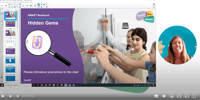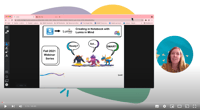
The Get SMART webinar series provides everything you need to get started with your SMART tools. Explore ways to create robust lessons and activities in your classroom today.

Lumio
Learn how Lumio empowers teachers to transform lessons into active, collaborative learning experiences that engage students on their own devices.
.png?width=100&height=100&name=Notebook%20plus%20(1).png)
Notebook Plus
Discover how to use Notebook Plus to create interactive lessons and dynamically deliver them on an interactive display.

iQ
Explore the built-in computing of your SMART Interactive Display powered by iQ, with tons of easy, interactive teaching tools and wireless screen sharing.

GX
Explore the built-in computing of your SMART Board GX, with tons of easy, interactive teaching tools to spark learning and engagement.
Getting started with Lumio 
Presented by Michelle Suleymanov, Learning & Community Designer, SMART Technologies
Discover how to get started with Lumio! Learn the basics, explore tools to boost student engagement, and transform your existing materials into interactive learning experiences.

Lumio Back to School Bash 2026
Join us for a special virtual event where leaders from the Lumio product team will showcase the latest updates in Lumio and give a sneak peek at what’s coming next. Whether you’re new to Lumio or a longtime user, this is your chance to see what’s possible and hear directly from the team shaping the future of the platform. Streaming on YouTube and social media—don’t miss it!

Getting started with iQ 4
Presented by Lindsay Huber, Area Manager, SMART Technologies
Get a quick introduction to the SMART Board with iQ4. We’ll cover the essentials to get you up and running — from navigating the home screen to using built-in apps and tools that boost classroom engagement.

Not all screen time is equal - Here's the difference
The screen time debate is loud — but much of it misses the point. The real question isn’t how long students are using digital devices, but what they’re doing while they're on them.
In this session, Michele Lyles, Technology Integration Specialist at Fort Bend ISD, shares how their district approaches purposeful screen time in real classrooms, with real students. Drawing on years of experience, Michele will explore how interactive technology — including Lumio — can shift learning from passive viewing to active participation. You’ll see what this looks like in practice: students collaborating, responding to instruction, and doing the thinking rather than simply watching it happen. You’ll leave with:
-
A clear understanding of the difference between passive vs active screen use
-
Real classroom examples of how Lumio drives student participation
-
Practical steps to help teachers use screens in ways that support — not replace — great teaching

Getting started with GX Plus (Global)
Presented by Mark Hartwright, Professional Development Specialist, SMART Technologies
Build confidence using your SMART Board GX Plus by mastering the essentials. In this session, you’ll learn how to set up, navigate key tools, and apply simple strategies with Whiteboard, Widgets, SMART Mirror, and Lumio to boost student engagement and streamline your lessons. Please note: This webinar will feature the International version of the GX Plus, which has some differences from the US version.

Getting started with GX Plus (US)
Presented by Jana Vanya, Education Solutions Consultant, SMART Technologies
Build confidence using your SMART Board GX Plus by mastering the essentials. In this session, you’ll learn how to set up, navigate key tools, and apply simple strategies with Whiteboard, Widgets, SMART Mirror, and Lumio to boost student engagement and streamline your lessons. Please note: This webinar will feature the US version of the GX Plus, which has some differences from the International version.


Refresh your resources with AI
Presented by Michelle Suleymanov, Learning & Community Designer, SMART Technologies
Learn how AI Assist enhances the lessons and resources you already use by generating interactive activities directly from your existing content. Spend less time rebuilding and more time teaching.