The Ready? Set. SMART! webinar series provides everything you need to get started with your SMART tools. Explore ways to create robust lessons and activities in your classroom today.

Lumio
Learn how Lumio empowers teachers to transform lessons into active, collaborative learning experiences that engage students on their own devices.
.png?width=100&height=100&name=Notebook%20plus%20(1).png)
Notebook Plus
Discover how to use Notebook Plus to create interactive lessons and dynamically deliver them on an interactive display.

iQ
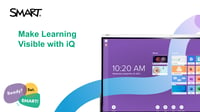
Explore the built-in computing of your SMART Interactive Display powered by iQ, with tons of easy, interactive teaching tools and wireless screen sharing.

GX
Explore the built-in computing of your SMART Board GX, with tons of easy, interactive teaching tools to spark learning and engagement.
Register now for Lumio Palooza!
Join us July 15-16 for two days jam-packed with virtual sessions led by educators, for educators!


Mastering Class Sessions in Lumio
Get classroom-ready with a complete walkthrough of Class Sessions in Lumio, enabling you to organize, deliver, and review lessons across multiple classes. In this in-depth session, our professional development team will guide you through the full Class Sessions workflow, including creating sessions, switching pacing modes, reviewing student work, and best practices for organization. Whether you’re new to Lumio or looking to refresh your skills, this webinar will give you the confidence to start the year strong with flexible, student-centered instruction.

Class Sessions on Your SMART Board: Lumio + iQ in Action
Take your lesson delivery to the next level by using Class Sessions on your SMART Board powered by iQ. In this practical session, we’ll show you how to seamlessly access and manage Lumio Class Sessions using both the Lumio app and the iQ Whiteboard app right from your board. Learn how to launch and navigate sessions, engage students in real time, and make the most of your SMART Board’s interactive tools.